Small cars

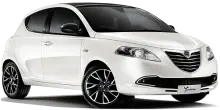
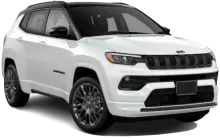
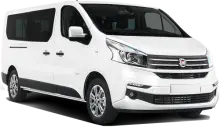


Choose the right car for your trip in Sydney, Australia and book in minutes. Compare trusted rental options, find great daily rates, and secure convenient airport pick-up for your travel dates.
Picking up a rental car is a convenient way to start your Sydney adventure, giving you freedom to explore beyond the city center. The process usually involves a bit of paperwork, understanding the costs involved, and getting comfortable with driving on the left side of the road. This guide will walk you through everything you need to know about renting a car at Sydney (Kingsford Smith) Airport (SYD).
Rental car desks are generally located within the airport terminals, often with clear signage directing you to the rental car area. Many companies offer a shuttle service from the terminal to their off-airport pickup locations, which can sometimes offer more competitive rates. You’ll typically find a good selection of rental companies operating at Sydney Airport, including well-known names.
Sydney and the surrounding areas offer diverse driving experiences, from city streets to coastal roads. Here are some popular car types you’ll find available for rent:
| Economy | $30 - $50/day |
| Compact | $40 - $60/day |
| Intermediate | $50 - $70/day |
| Standard | $60 - $80/day |
| SUV | $70 - $120/day |
| Luxury | $100+/day |
Prices change by season and availability.
For exploring the city, an economy or compact car is often sufficient. If you plan on venturing into more rural areas or need extra space, an SUV is a good choice. For a more comfortable experience, consider a standard or luxury vehicle.
Generally, you’ll need a valid driver’s license held for at least one year. International visitors will usually need an International Driving Permit (IDP) alongside their home country license. The minimum age to rent a car is typically 21, though drivers under 25 may face additional fees. Be prepared to present a valid credit card in the renter’s name for the security deposit. Debit cards are sometimes accepted, but often with restrictions. The deposit amount varies depending on the car type, but it’s usually a significant sum, so factor that into your budget.
Rental companies will offer various insurance options. Collision Damage Waiver (CDW) covers damage to the rental car itself. Theft Protection covers the vehicle if it’s stolen. “Excess” refers to the amount you’re responsible for paying in the event of damage or theft, even with CDW or Theft Protection. You can often reduce the excess by purchasing additional insurance, but carefully consider if the cost is worthwhile. Check if your existing car insurance or credit card provides rental car coverage before accepting additional insurance at the rental desk.
Australia drives on the left side of the road. It takes some getting used to! Speed limits are generally posted in kilometers per hour. Be aware of toll roads, particularly around Sydney. Many roads use electronic tolling, so you may need to rent a toll transponder or pay online after your trip. Parking can be expensive and limited in the city center, so plan accordingly. Familiarize yourself with Australian road rules before you start your journey.
If your driver’s license isn’t in English, you’ll likely need an International Driving Permit (IDP) along with your original license.
A major credit card in the renter’s name is usually required for the deposit. Debit cards may be accepted with restrictions.
The minimum age is typically 21, but drivers under 25 may pay a young driver surcharge.
Collision Damage Waiver covers damage to the rental vehicle itself, but usually doesn’t cover tires, windows, or the undercarriage.
Excess insurance reduces the amount you pay out-of-pocket if the car is damaged or stolen.
Yes, there are toll roads around Sydney. You can pay with a toll transponder or online after your trip.
Parking in the city center can be limited and expensive. Plan ahead or consider public transport.
Australians drive on the left side of the road.
Yes, but you’ll usually need to pay an additional fee and the extra driver must meet the rental requirements.
Report any damage to the rental company immediately and follow their instructions for filing a claim.
Yes, you can usually rent a GPS navigation system or use a smartphone app for navigation.
Carefully inspect the car for any existing damage and document it with photos or video before driving away.